CAFÉS, RETAIL & POP-UPS
A POS that knows your business.
Your menu, your stock, your workflow. Add in-person payments to the checkout you made your own.
 for builders
nashi POS API
You build the checkout. We handle the tap.
Connect your POS to nashi and accept card payments with the phone you already have.
Built with AI. Built from scratch. Built for your business.
/paymentFROM YOUR CHECKOUT TO THEIR NEXT TAP
Try a payment below. Follow the highlighted action
from your POS to the nashi app, and back again.
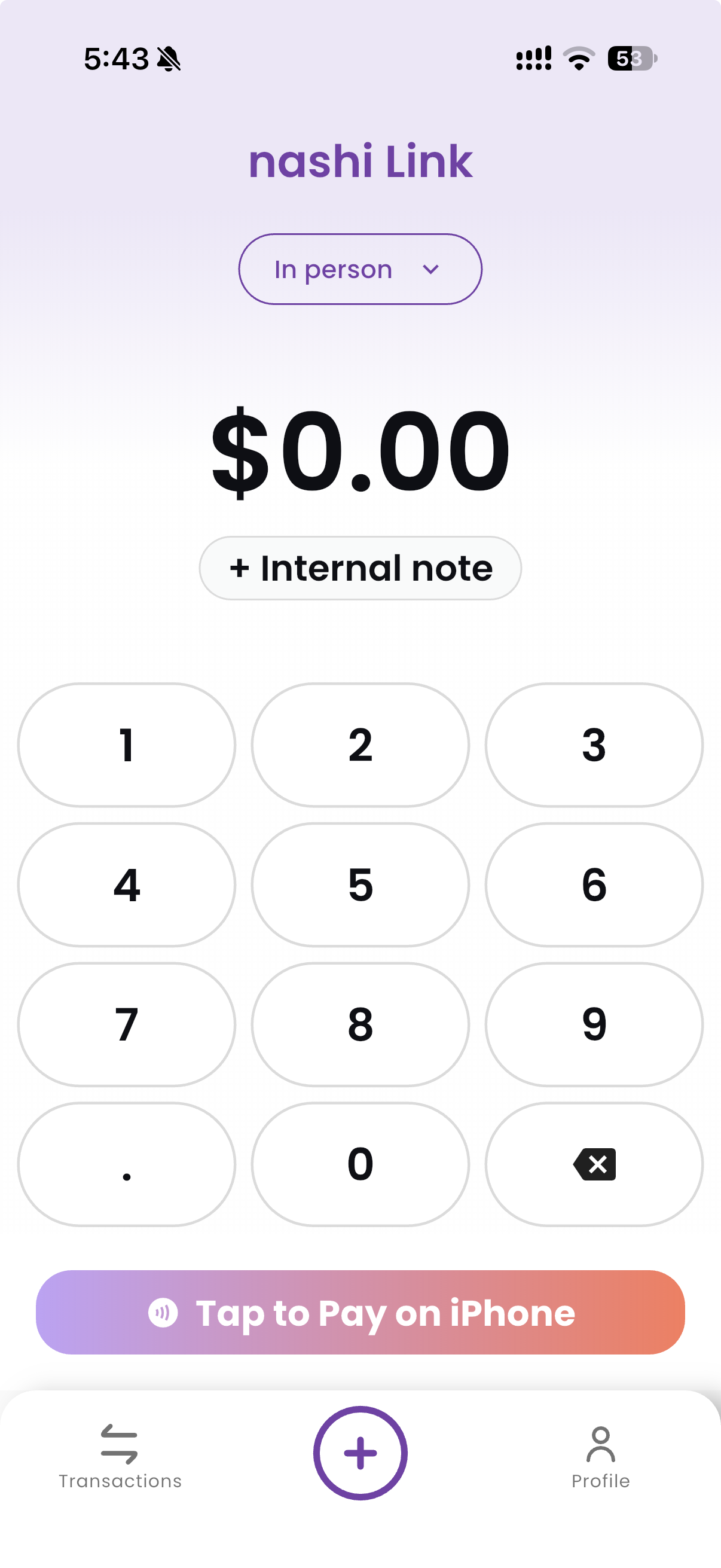
This sends the amount and order reference to the connected phone.
app COUNTER 01Drag card here
Tap to PayDrag the card up to the reader.
Release it to make the payment.
Please wait…
ready_for_paymentWaiting for you to send the orderSend the amount, order reference and device. Keep the checkout you’ve built.
Open the request, select Tap to Pay with iPhone and accept a card or mobile wallet on the phone.
Your POS gets the confirmation and updates the order. Ready for the next sale.
LESS INTEGRATION. MORE CREATION.
A payment request is all it takes to connect your software to nashi. Use the tools you already know.
YOUR BUSINESS. YOUR WAY OF BUILDING.
Your menu, your stock, your workflow. Add in-person payments to the checkout you made your own.
<YourCheckout />
+ nashi.payments
Ready for the real worldFrom your first AI-built app to a fully custom system. Turn a good build into a working checkout.
Connect the businesses you serve to Tap to Pay, with a checkout experience that feels like yours.
No. Your POS sends a payment request from its backend. The nashi app handles Tap to Pay on a compatible phone, so your checkout can stay on the web, a tablet or your own app.
Yes. Run your POS on a laptop or tablet and send the payment to a connected phone running nashi. The amount and order reference arrive together, so there’s no need to type them in again.
nashi sends the payment result to your integration through a webhook, so your POS can automatically update the matching order.
to connect your merchant account and get your API credentials. You’ll need a compatible phone with the nashi app and an approved merchant account to accept payments.
BUILT IT? LET’S CONNECT IT.
Bring your checkout to life with a simple API and a phone.